Two-tap meal logging
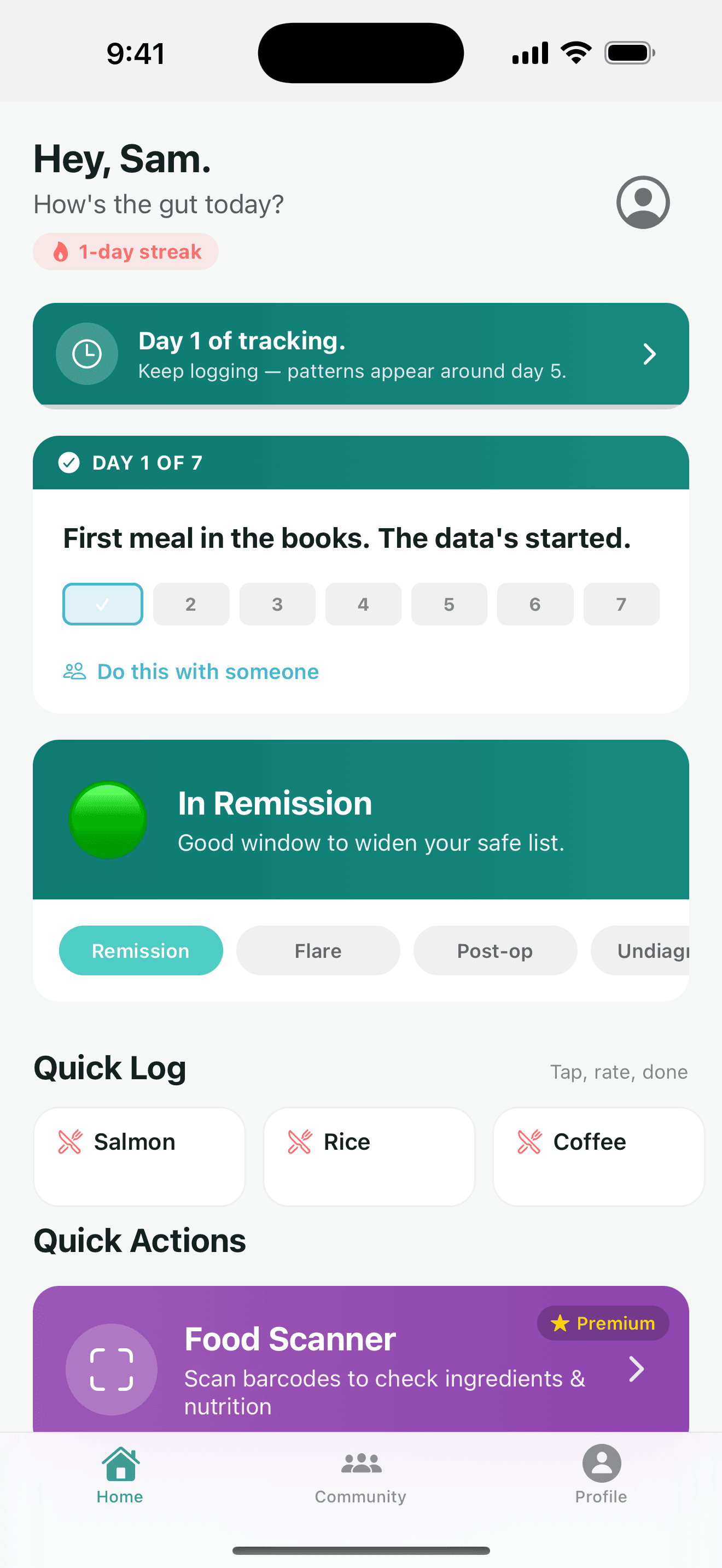
Tap the meal, tap how it sat: fine, meh or nope. Frequent foods and saved meals sit as chips on the home screen, so most days you never open a form.
Built for Crohn’s, ulcerative colitis & IBS
Log a meal in two taps. After a week, see your likely trigger foods ranked by how often they preceded symptoms. Then walk into your GI visit with a one-page report your doctor will actually read.
Free to start. No calorie counting, ever.
Logged: scrambled eggs
Breakfast · rated fine
Coffee · likely trigger
4 of 5 times preceded symptoms
30-day report ready
PDF · share before your visit
On the App Store since 2017. Rating 4.2 out of 5 from 6 ratings; “people tracking” is the app’s own live count. Both as of 2026-09-13.
How it works
01
Tap what you ate, tap how it sat: fine, meh or nope. Add symptoms on the same screen if you want, or log a 'felt fine' day — good days are evidence too.
Quick log
How did scrambled eggs sit?
The app shows recent foods as chips. Tapping one, then tapping fine, meh or nope, records the meal and how it sat.
02
Every night the app scores each food by how often it was followed by symptoms, shrinking small samples toward caution so two bad mornings can't convict a coffee. Labels run from Watching to Very likely.
Likely aggravators
Last 30 days
Black coffee
Very likely4 of 5 times preceded symptoms
Raw salad
Likely3 of 4 times preceded symptoms
Whole milk
Possibly2 of 4 times preceded symptoms
Popcorn
Watching1 of 3 times preceded symptoms
Meals that sat fine count too. A food eaten ten times and rated fine eight of them is not a trigger — and the app won’t say it is.
03
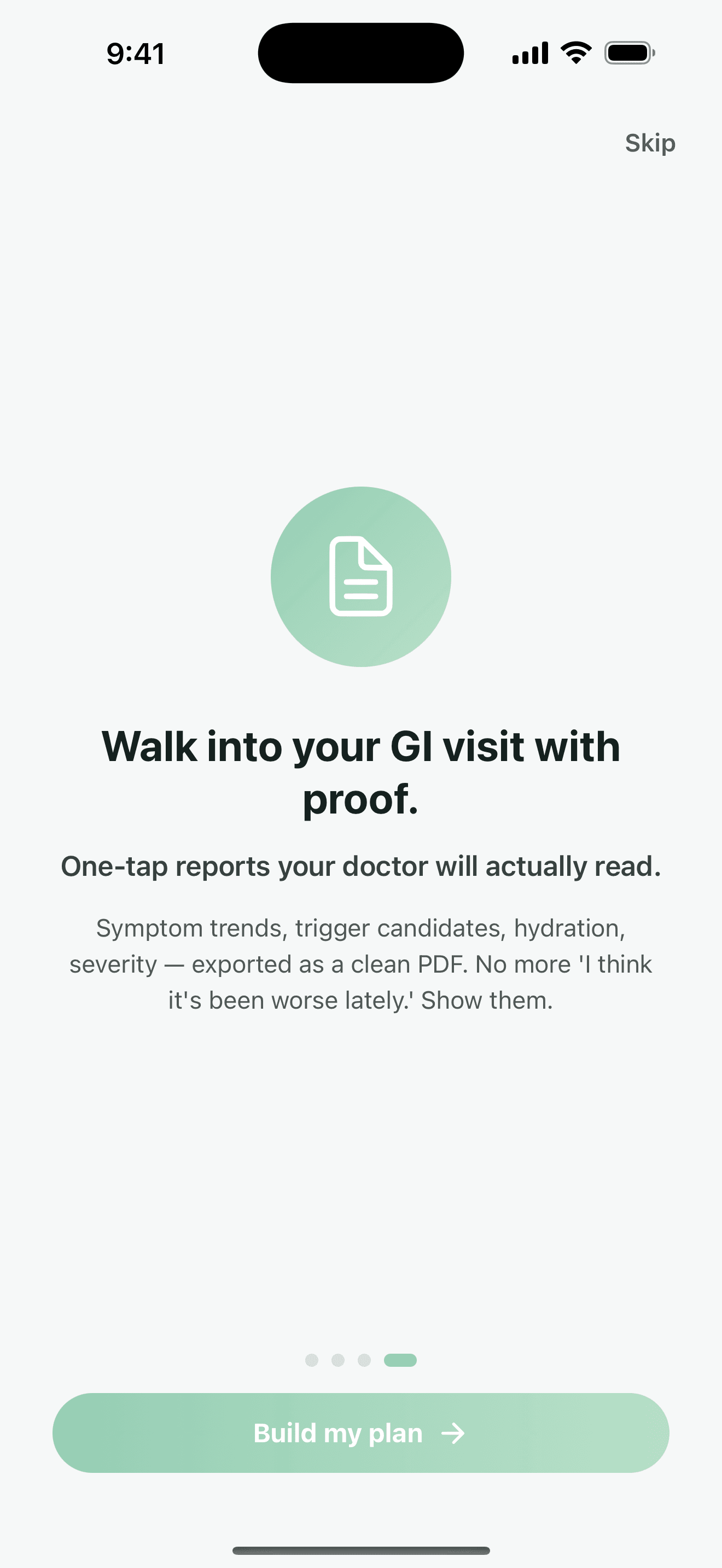
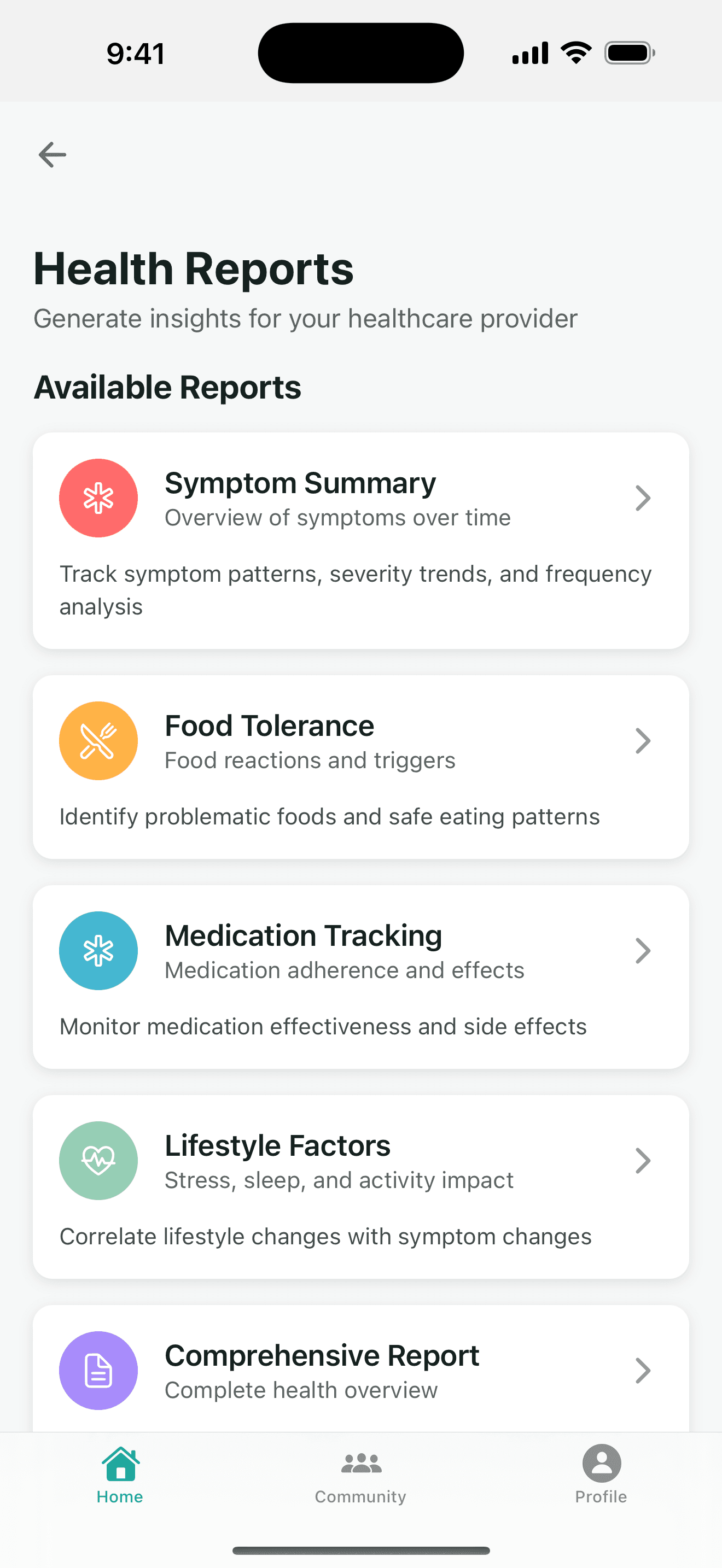
Pick 7 days, 30 days or any range and get a PDF with symptom trends, severity by time of day, tolerated foods, likely aggravators and medications. Share it before the appointment.
Everything in the app
No calorie targets, no macros, no weight-loss nudges. Just the things that matter when your gut is the problem.
Tap the meal, tap how it sat: fine, meh or nope. Frequent foods and saved meals sit as chips on the home screen, so most days you never open a form.
After a week of logs, foods are scored by how often they were followed by symptoms — with the meals that sat fine counted too, so one bad day can't frame a food you usually tolerate.
Symptom trends, severity by time of day, tolerated foods, likely aggravators and medication history for 7 days, 30 days or any range. Print it or share it before your GI visit.
Fourteen IBD-specific symptoms from urgency to mouth ulcers, each rated mild, moderate or severe. And a 'felt fine today' button, because good days are evidence too.
A heads-up the moment you log a food the app has flagged as a likely trigger for you — before it's a problem, not after.
Scan a packaged food and see ingredients that commonly aggravate IBD flagged in one tap, with your scan history kept for later.
Threads tagged Flare Help, Nutrition, Remission Life and Medication, written by people who have Crohn's — under pseudonymous handles by default.
Let a parent or partner see that you're hydrating and taking your meds — without ever seeing your symptom or stool log. Scopes are fixed; they can't be widened.
Quick-add water and other drinks toward a daily goal, track weight over time, and sync both with Apple Health or Health Connect if you want.
Record what you took and when, then see adherence and timing alongside symptoms in the medication report.
Opt-in sync reads weight, sleep, water and steps so reports reflect everything you already track, and writes your logged weight and hydration back.
Export everything you've logged, or delete your account and all of its data from inside the app. Health data is never sold or shared with advertisers.
Screens
Real screenshots from the current release. Swipe through.


For gastroenterologists & IBD nurses
Here’s exactly what they logged, how the “likely trigger” list is computed, and what it is not. Ninety seconds, no sign-up.
Free vs Premium
Tracking is free, forever. Premium adds the analysis and the paperwork. Try it free, cancel any time from your phone’s subscription settings.
Everything you need to start finding patterns.
The analysis, the alerts and the reports.
Monthly, six-month and annual plans. Prices are shown in the app in your local currency. Trial length and availability depend on the plan and store.
FAQ
Yes. Logging meals, symptoms, medications, hydration and weight is free, and so is the community feed and your first comprehensive report after seven days of tracking. Premium is an optional subscription that adds unlimited doctor-ready PDF reports, advanced trigger detection, trigger-food alerts, barcode safe-or-caution scanning, community posting and care-partner access. You can cancel any time from your phone's subscription settings.
Every meal you log is an observation. You rate it fine, meh or nope, and can add symptoms on the same screen. Overnight, the app scores each food by how often it was followed by adverse evidence, counting the meals that sat fine in the denominator so a food you tolerate most of the time is not blamed for one bad day. Small samples are shrunk toward a prior so two coffees and two bad mornings read 'Possibly', not 'Very likely'. It is an association in your own self-reported data — a hypothesis to test with your care team, not a diagnosis.
It is built for inflammatory bowel disease generally — Crohn's disease and ulcerative colitis — and the same food-and-symptom logging works for IBS and other sensitive-gut conditions. The intake survey asks whether you are in remission, flaring, post-op or newly diagnosed so guidance fits your current state.
Meals with a three-point tolerance rating; symptoms including abdominal pain, urgency, diarrhea, blood in stool, constipation, bloating, nausea, fatigue, night waking, fever, appetite loss, joint pain, mouth ulcers and headache, each with a severity; medications and when you took them; hydration; weight; and lifestyle factors like sleep, stress and activity. You can also log a 'felt fine today' day, which is just as useful for ruling foods in.
Yes. The app generates PDF reports for a chosen period — seven days, thirty days or a custom range — with symptom trends, severity by time of day, tolerated foods, likely aggravators, medication history and hydration. You can print it or send it through your phone's share sheet before an appointment. Every report says on it that it is educational support, not medical advice.
Yes, optionally. When you turn Health sync on in Settings, the app reads weight, sleep, water and steps so reports reflect what you already track, and writes the weight and hydration you log back to Health. Nothing else is requested, and the permission prompt only appears when you enable the toggle.
Your entries are stored in your own account and are never sold or shared with advertisers. The community uses pseudonymous handles by default. You can export everything you have logged, and you can delete your account and all of its data from inside the app at any time.
No. Crohn's Food Tracker is a self-tracking and educational tool, not a medical device. It does not diagnose, treat or prescribe. Use what you learn from it as a starting point for a conversation with your gastroenterologist or IBD nurse, and seek urgent care for red-flag symptoms such as severe pain, persistent bleeding, high fever or signs of obstruction.
iPhone and iPad on iOS 15.1 or later, and Android phones on Android 8.0 (API 26) or later. The same account works on both.
Start logging today. In a week the app hands you your first trigger report, free.